
Explore More Shot Data with K-GOLF Launch Monitor Mode
For players and coaches who want to look beyond distance and ball flight, K-GOLF Launch Monitor Mode provides detailed shot and club data for deeper performance analysis.

Explore More Shot Data with K-GOLF Launch Monitor Mode
Distance and direction can tell you what happened to a shot.
For players who want to understand why it happened, more detailed data can provide a clearer picture.
K-GOLF Launch Monitor Mode is designed for users who want to take a more analytical approach to practice. Powered by K-GOLF’s high-speed sensor technology, it provides detailed ball, impact, and club data within the simulator environment.
Rather than replacing the standard practice experience, Launch Monitor Mode gives players and coaches an additional option when deeper analysis is needed.
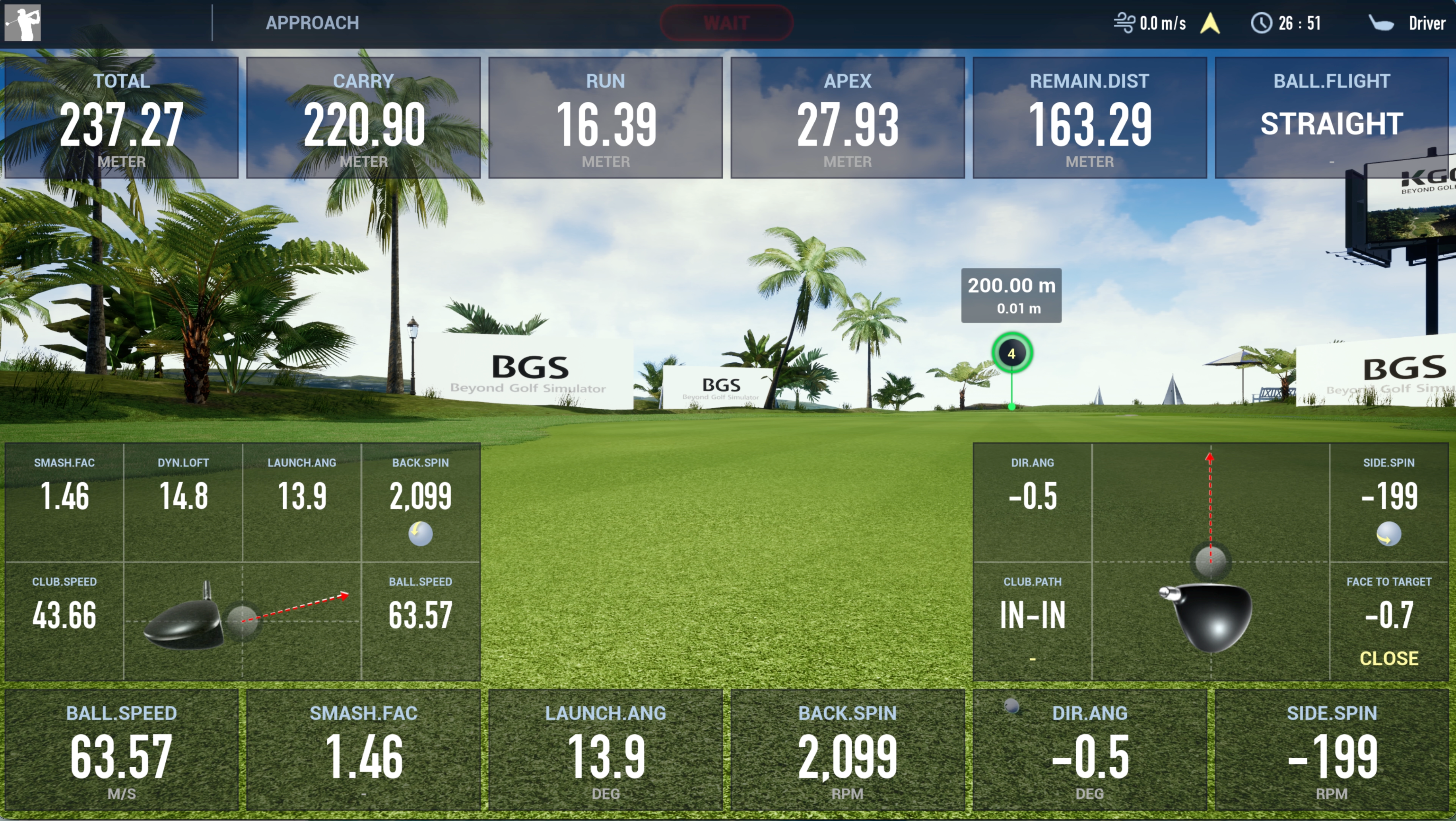
More Than the Final Result
A golf shot is the result of several factors working together.
Ball speed and smash factor provide information about impact efficiency. Launch angle and dynamic loft help explain how the ball leaves the clubface. Backspin, side spin, and direction data provide further insight into the resulting trajectory.
By reviewing these values together, users can move beyond simply observing the final distance or ball flight and begin to understand the conditions that produced the shot.
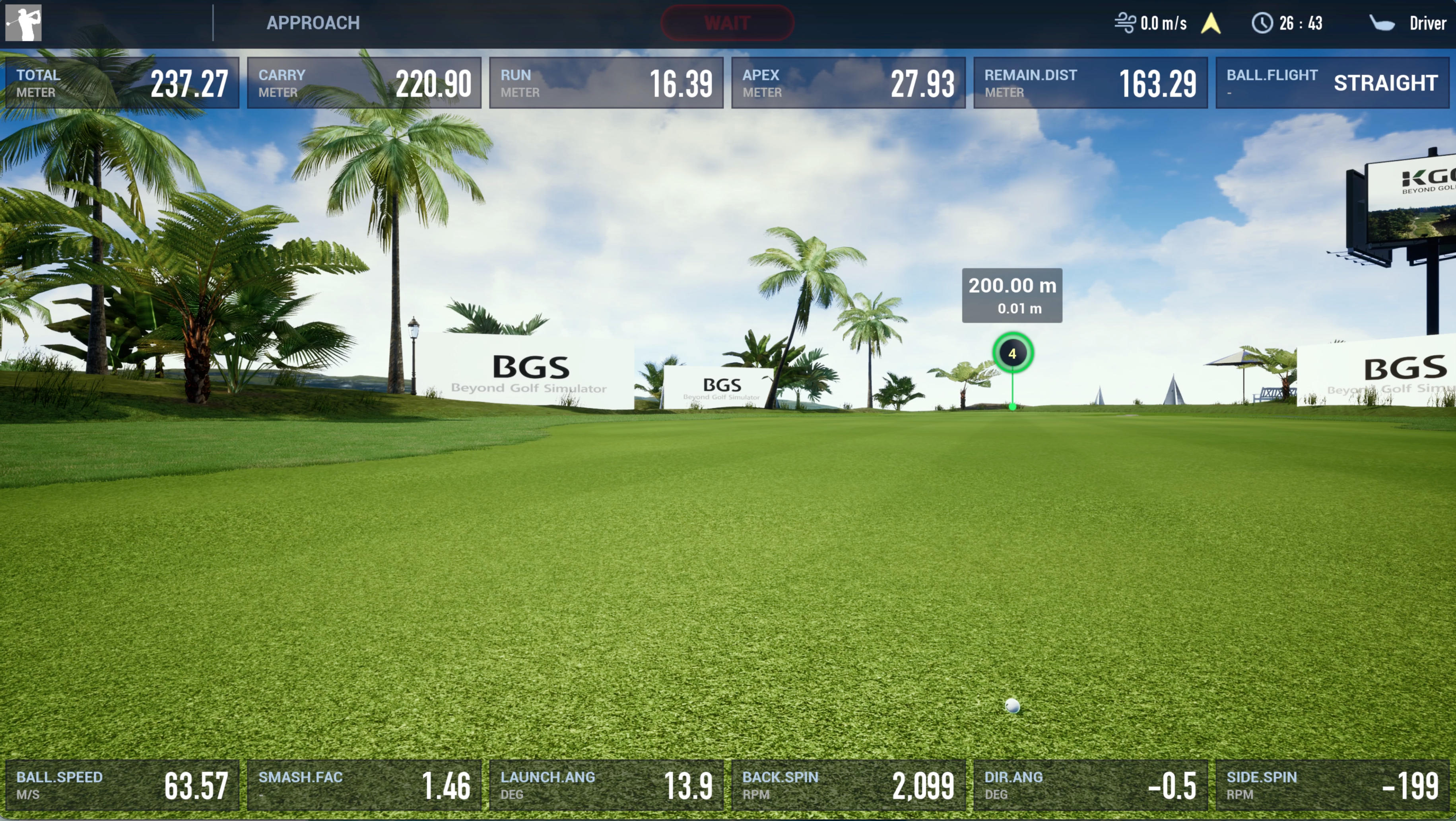
Understand the Club Behind the Ball Flight
Launch Monitor Mode also provides club-related information that helps connect swing movement with the resulting shot.
Club speed shows how fast the club is moving, while Club Path indicates its direction through impact. Face to Target provides information about the clubface orientation relative to the target.
When these measurements are reviewed alongside launch direction and spin, players and coaches can better identify patterns behind different ball flights.
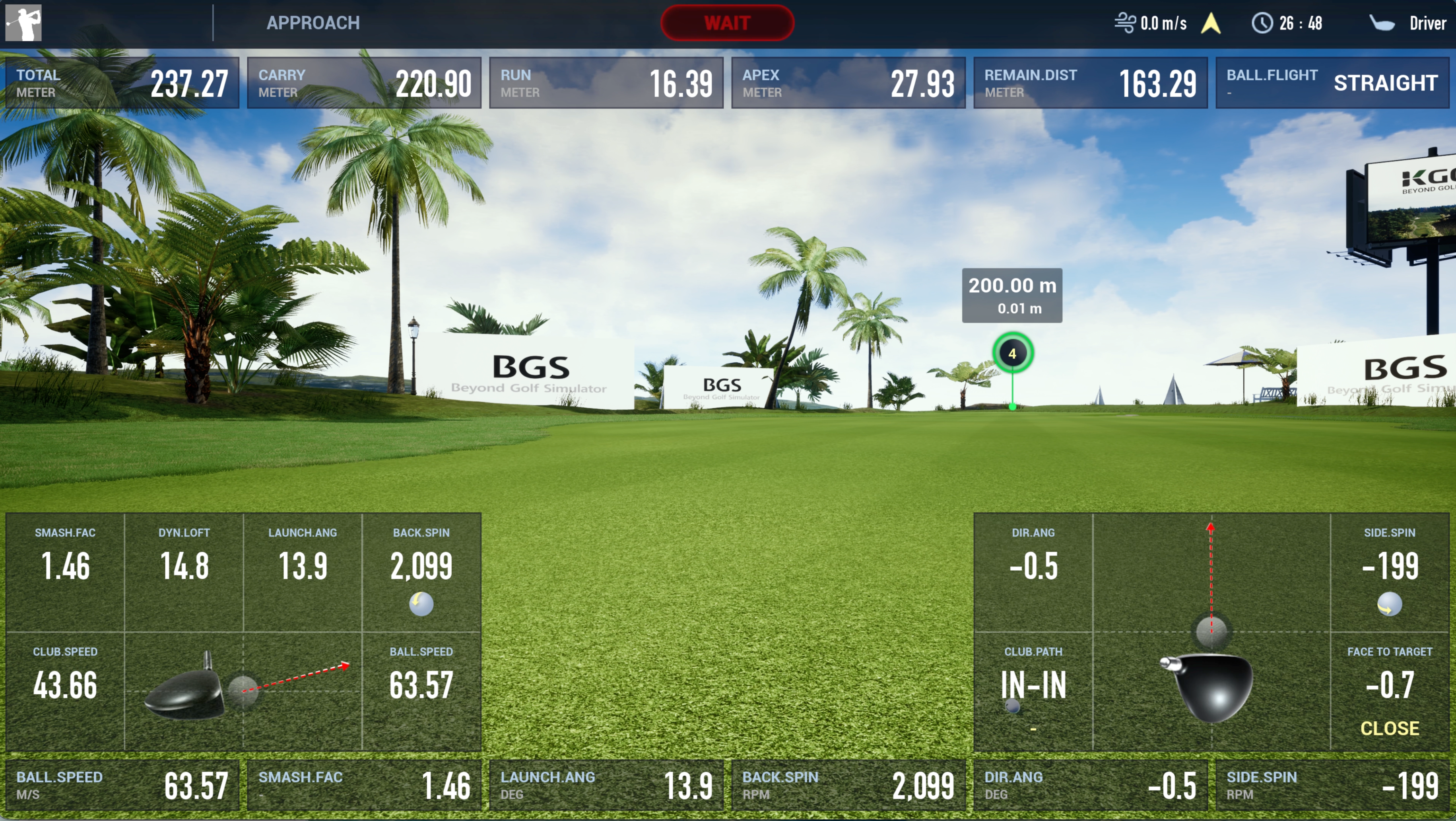
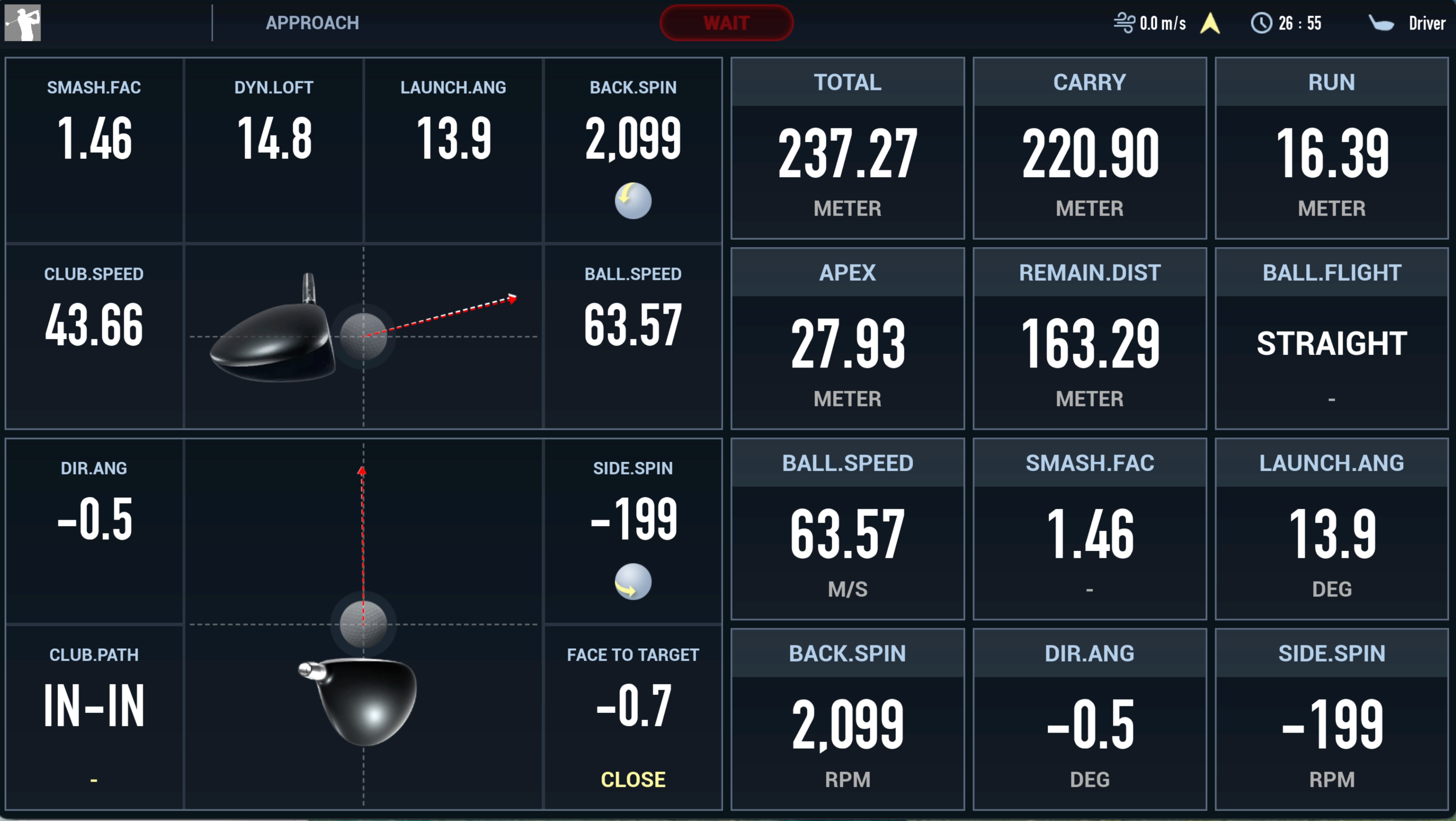
A Data-Focused View When More Detail Is Needed
Not every practice session requires a screen filled with numbers.
For users who want to concentrate specifically on performance data, K-GOLF provides a dedicated data-focused display.
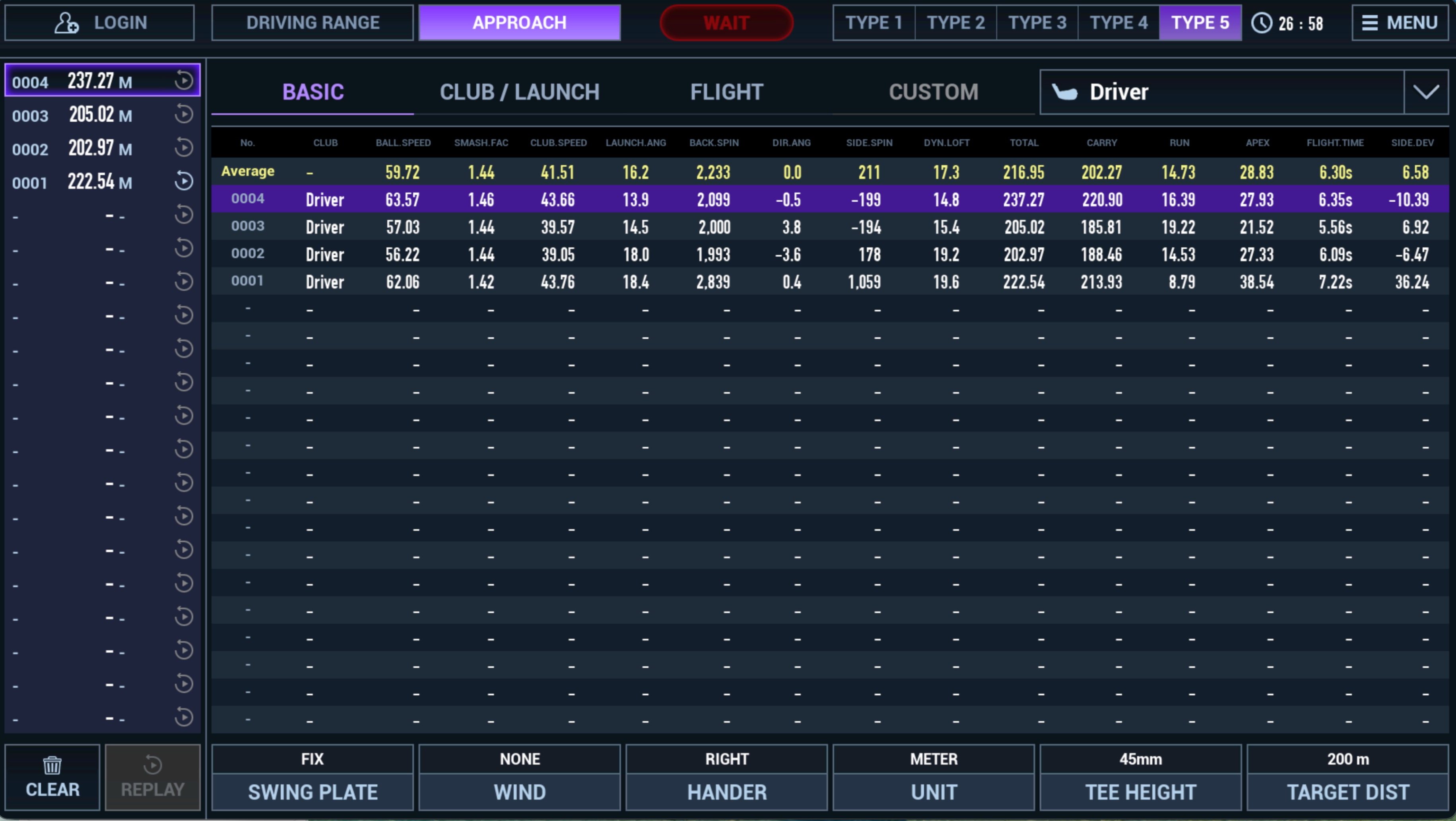
The interface brings together impact information, launch conditions, spin, club movement, and shot results in one view. Users can see how club speed and ball speed relate to smash factor, how launch conditions affect trajectory, and how club movement corresponds with the resulting direction and spin.
This makes it easier to analyze a shot as a complete sequence rather than reviewing individual numbers in isolation.
Compare Shots, Not Just Numbers
A single shot provides information. A series of shots reveals patterns.
K-GOLF Launch Monitor Mode keeps individual shot records and calculates average values, allowing users to compare multiple shots during the same practice session.
Changes in ball speed, club speed, smash factor, launch angle, spin, carry distance, and other measurements can be reviewed directly.
This is particularly useful when evaluating swing adjustments, testing different shot conditions, or identifying tendencies that appear consistently over repeated shots.
Built for Players Who Want More Data
Launch Monitor Mode is not intended to make every practice session more complicated.
It is there when more information is needed.
Advanced players can examine their shot characteristics in greater detail. Coaches can use measurable feedback to support swing analysis. Golf facilities can provide a more data-focused practice and coaching environment within the same K-GOLF simulator.
From the movement of the club to the final ball flight, K-GOLF brings the relevant data together so users can better understand each shot and make more informed adjustments.